
Your family tree: explore it, and build it on sources
Store your tree, walk through it visually, and turn it into an active research project. Build and edit it too, free up to 100 people: people, events, sources, and pictures.
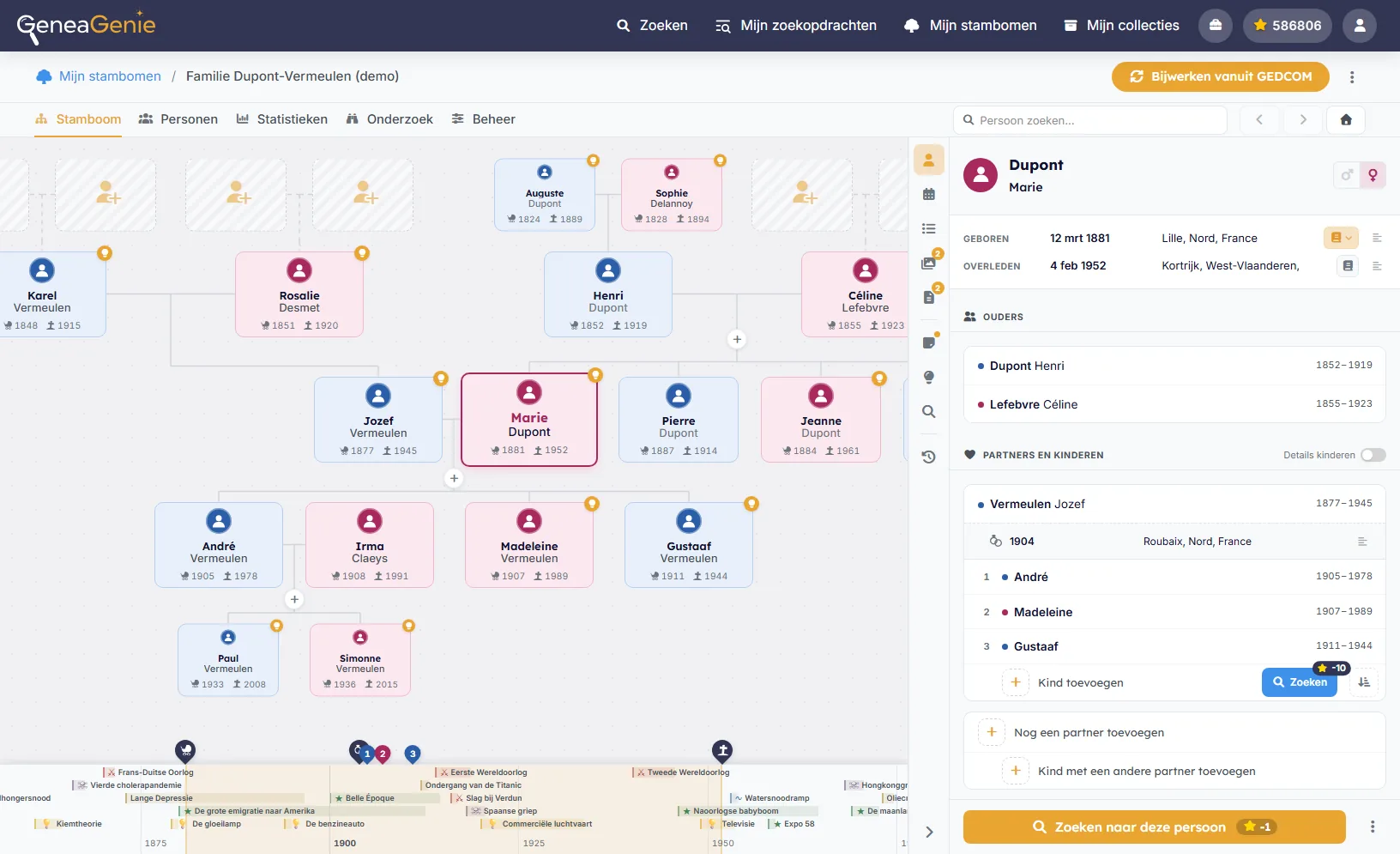
Walk through generations
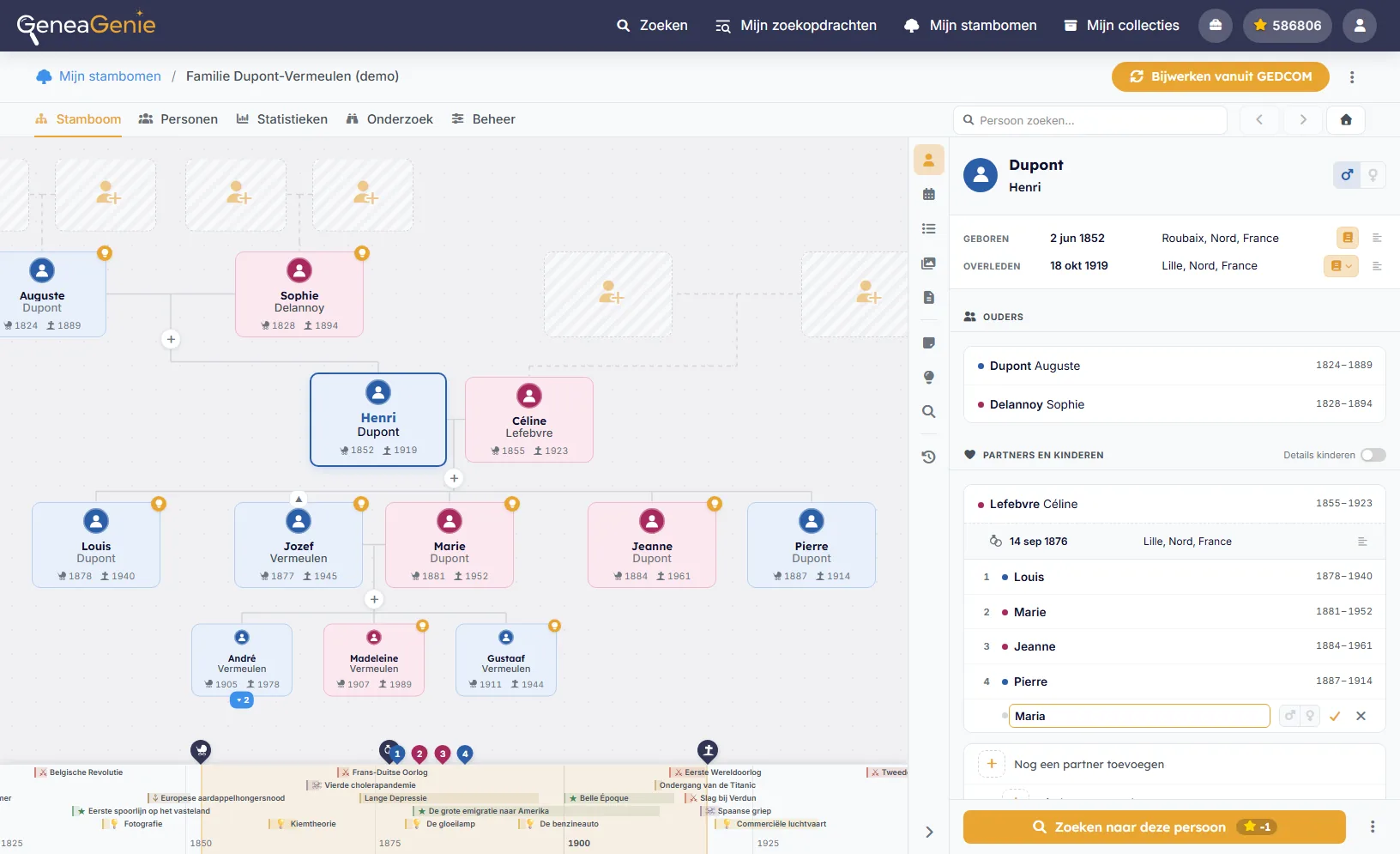
Pan and zoom through an interactive tree, follow a line back through the centuries, and open any person to see their life, partners, parents and children. The overview shows at a glance where work remains — a missing child or an unknown partner — so you can launch a search right where it's needed.
- Interactive, pan-and-zoom tree view
- See where the gaps are and search in one click
- Your tree stays 100% private
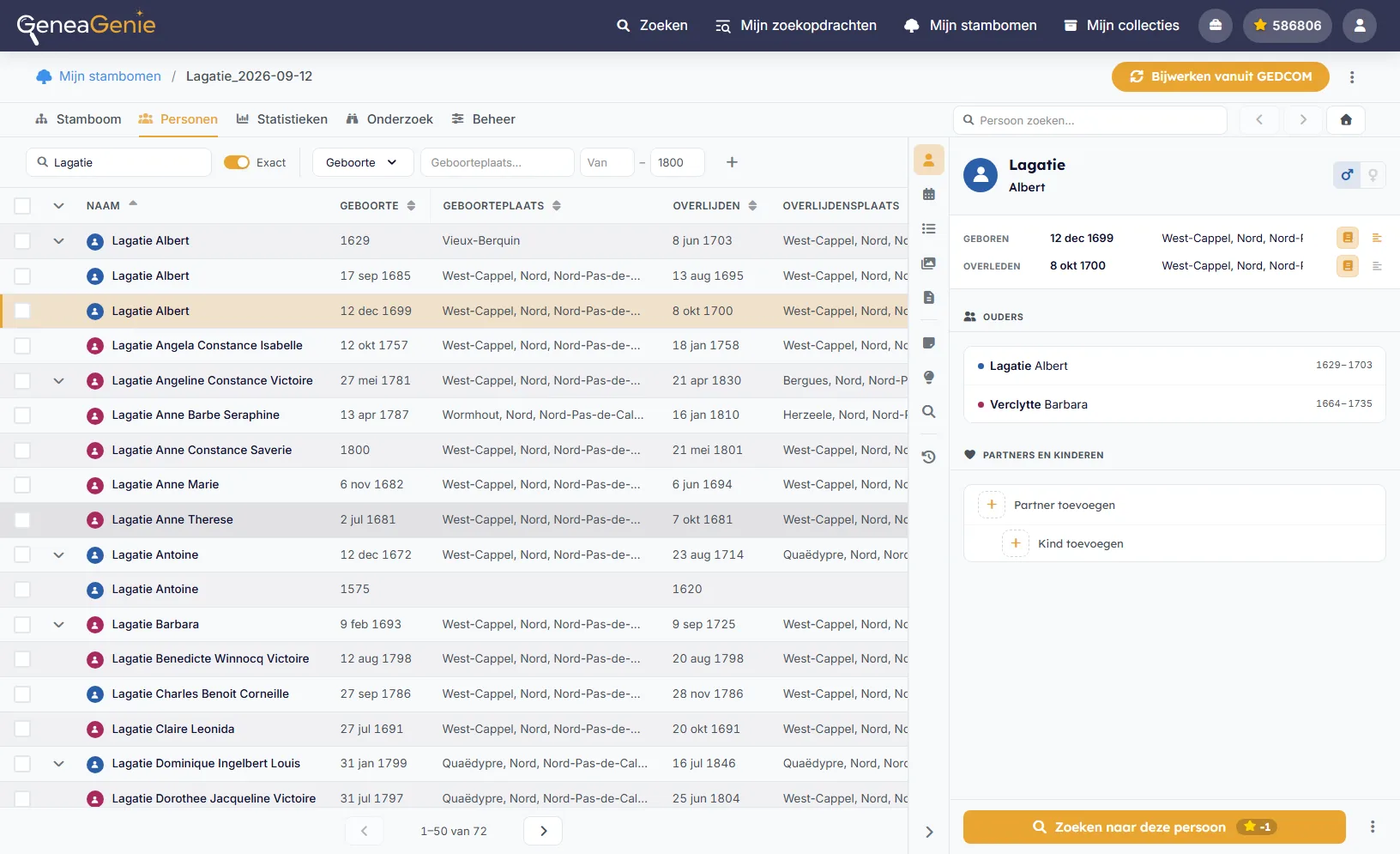
Every relative, one sortable table
Browse everyone in your tree in a fast, filterable table, then build a selection and search it in one sweep — everyone born in a given town or all namesakes within a period.
- Filter and sort to build a selection of relatives
- Launch one search across everyone you select
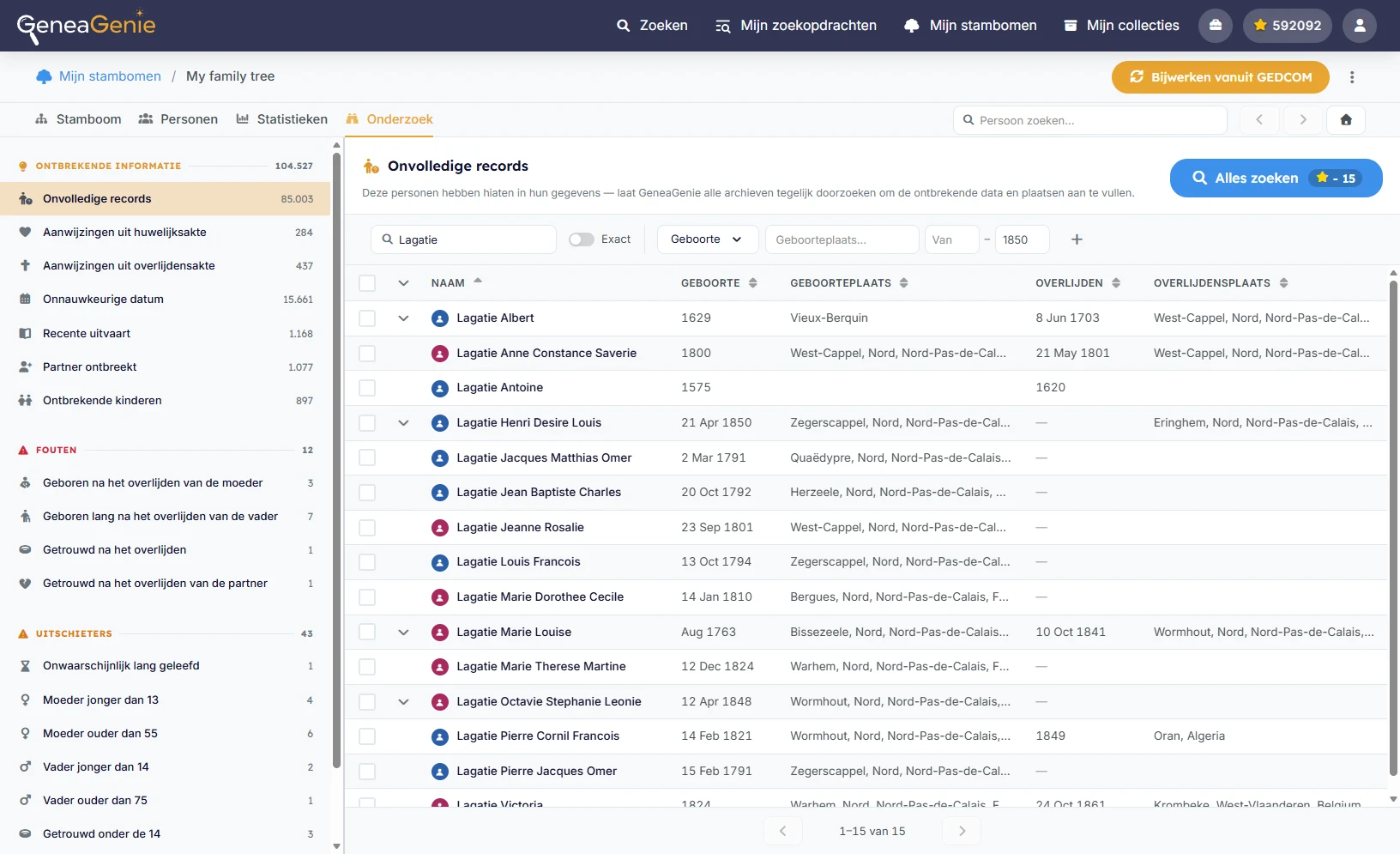
Find your next discovery
GeneaGenie reads your tree and points you to the records most likely to move your research forward.
- Research opportunities and missing records
- Missing children
- Incomplete dates
- Checks for contradictory and unlikely dates
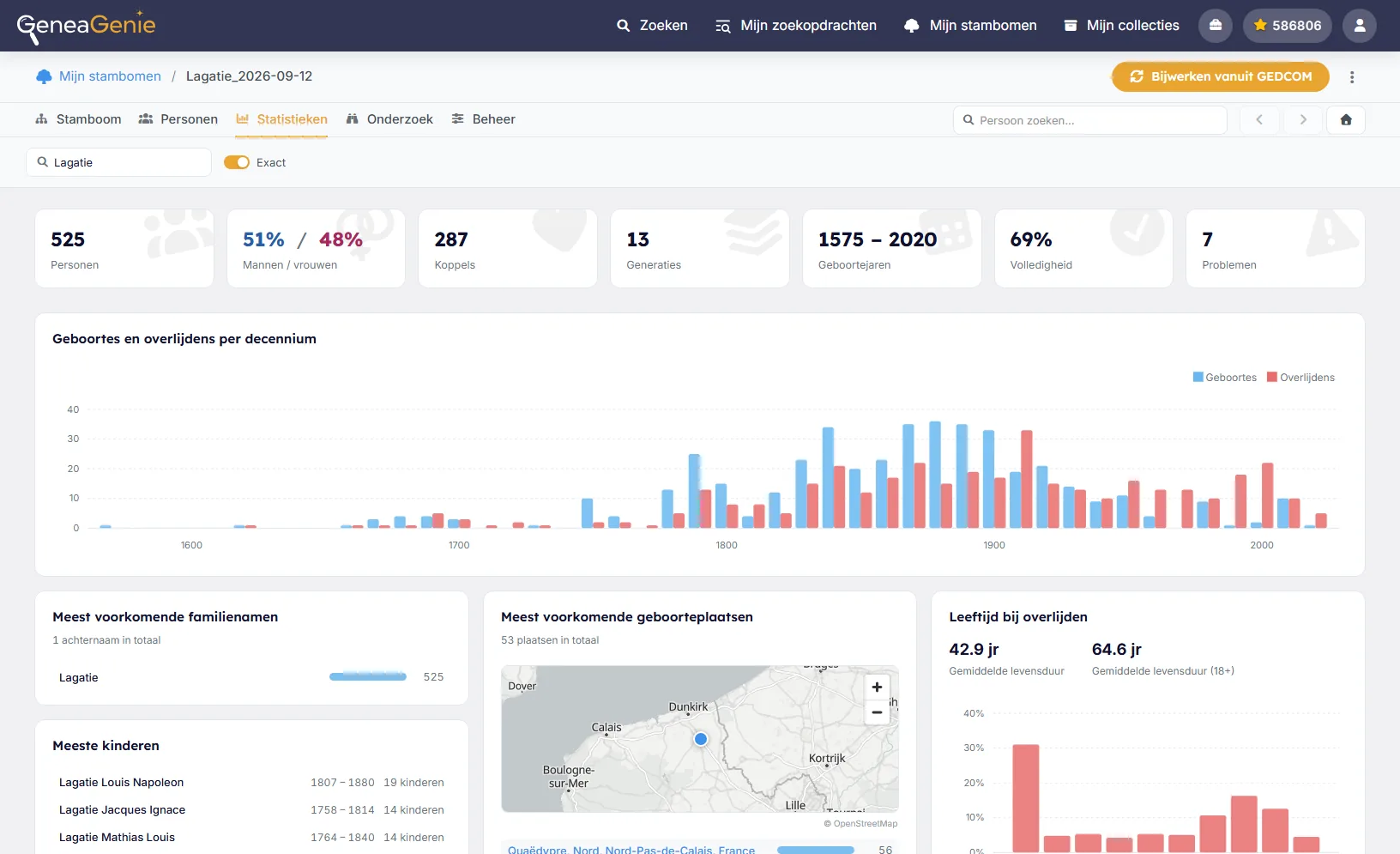
Statistics for a whole tree or one surname
See births and deaths per decade, the most common surnames and birthplaces, and average life expectancy — for your whole tree or a single surname.
- Births and deaths across the centuries
- Top surnames, birthplaces and life expectancy
- Filter everything by surname
Build and edit your tree
Your tree becomes a workspace: add people, record what you find, and keep every conclusion tied to its evidence. Free for trees of up to 100 people, larger trees with a subscription.
View the plansAdd, correct, and connect relatives
Add parents, partners, and children right from the person you are looking at. GeneaGenie warns you when someone you add may already be in your tree, and lets you merge duplicates or detach people who were linked by mistake.
- Add and remove people right in the tree
- Children ordered automatically by birth, or by hand
- A warning when someone may already be in your tree
- Merge duplicates and detach people linked by mistake
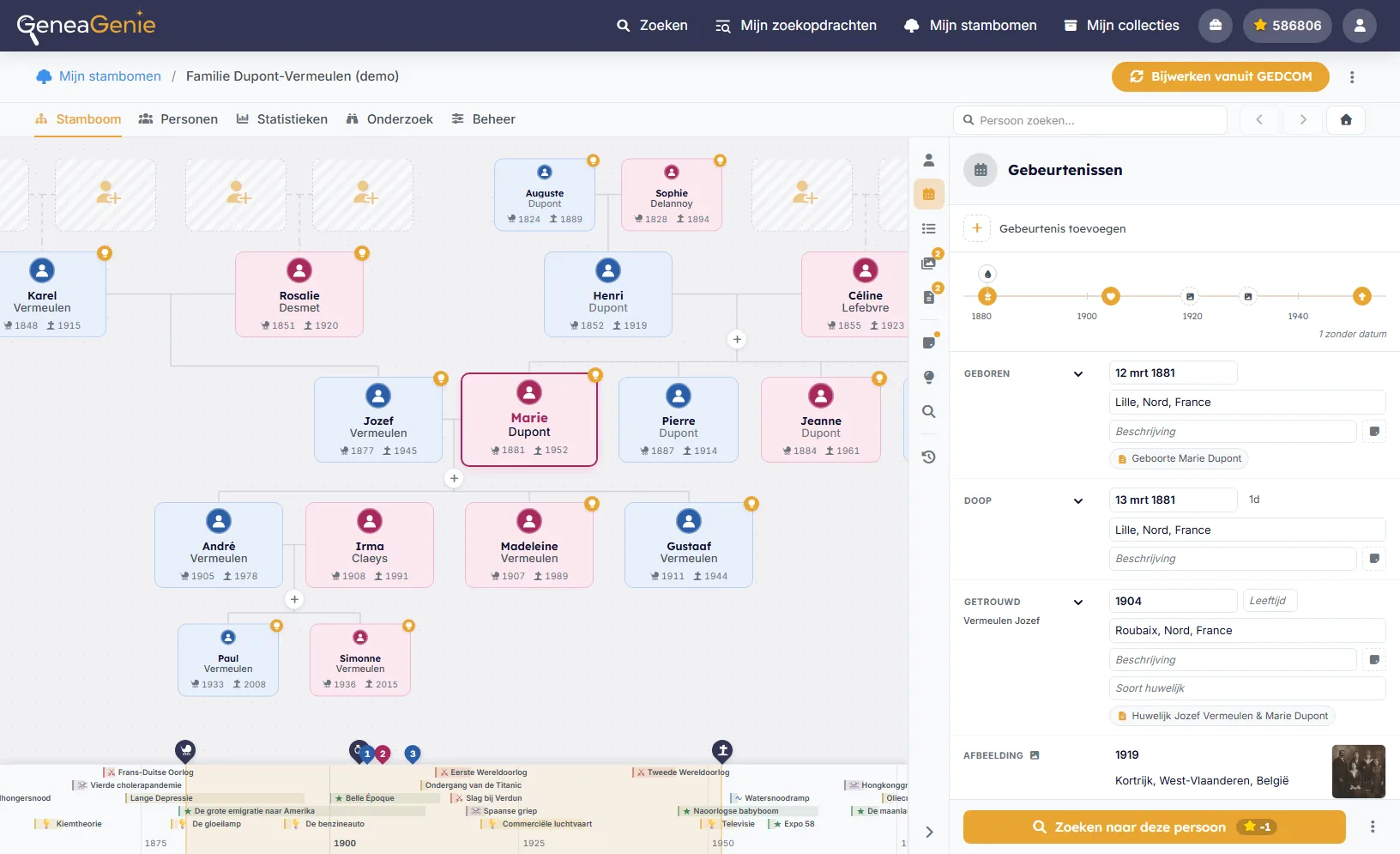
Every event and fact, tied to its source
Every event and fact GEDCOM knows has its place: from baptism and marriage to military service, emigration, census, and probate, and facts such as occupations, residences, and titles. Add your own when none fits. Each event shows the sources it rests on, so you always know why a date is there.
- Dozens of event and fact types, and your own
- See the sources behind every event
- Inconsistencies checked automatically with every change
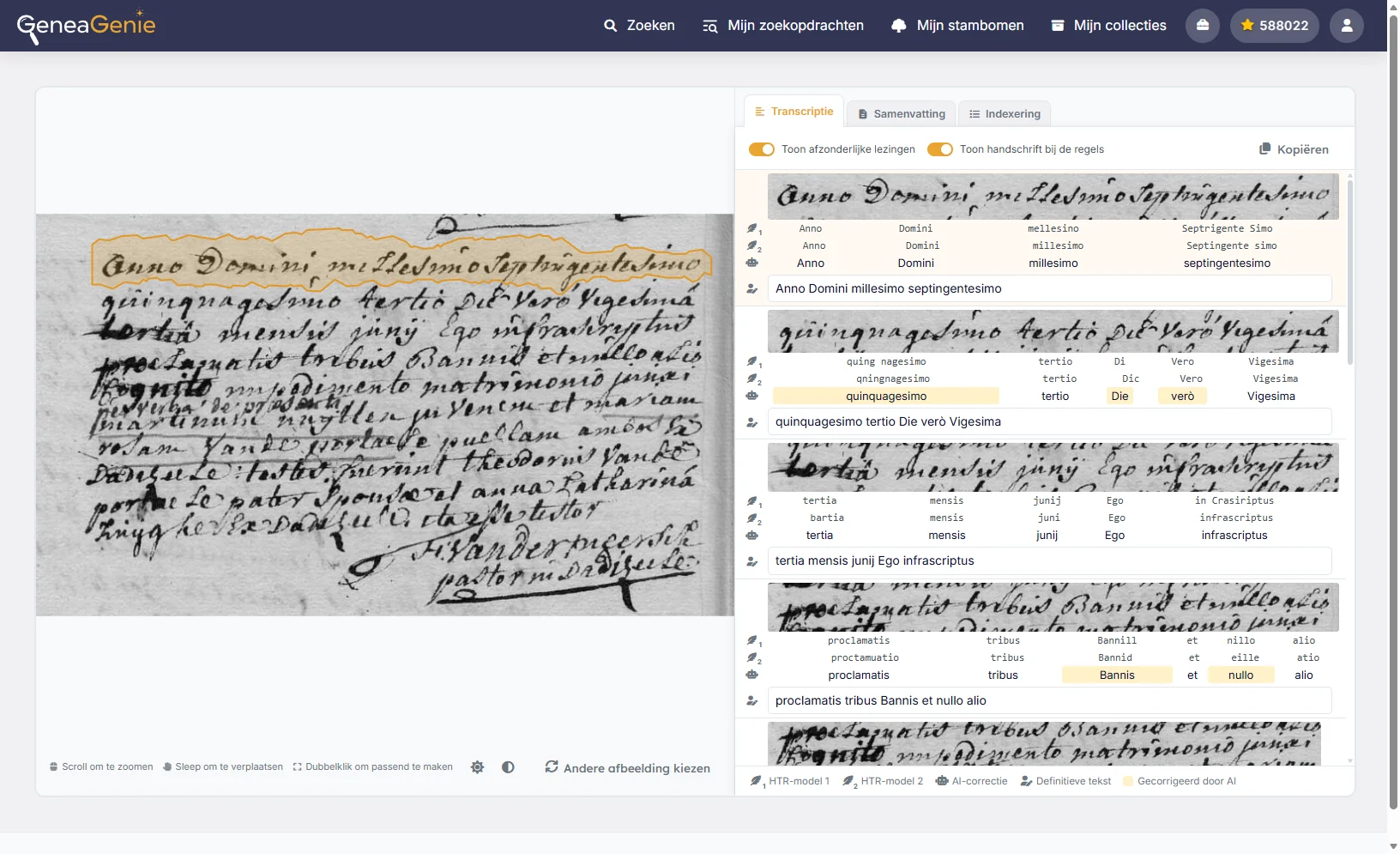
Sources, transcribed and linked
Add a record to a person, let AI transcribe it line by line, and link it to everyone it mentions: the parents on a birth record, the witnesses at a marriage. One source, kept once, connected to every relative in it.
- Add sources, transcribe them with AI (or by hand), and link them to the people they mention
- Save records you find in the archives straight to your tree
- A record on several pages becomes one picture
- Research notes for every person
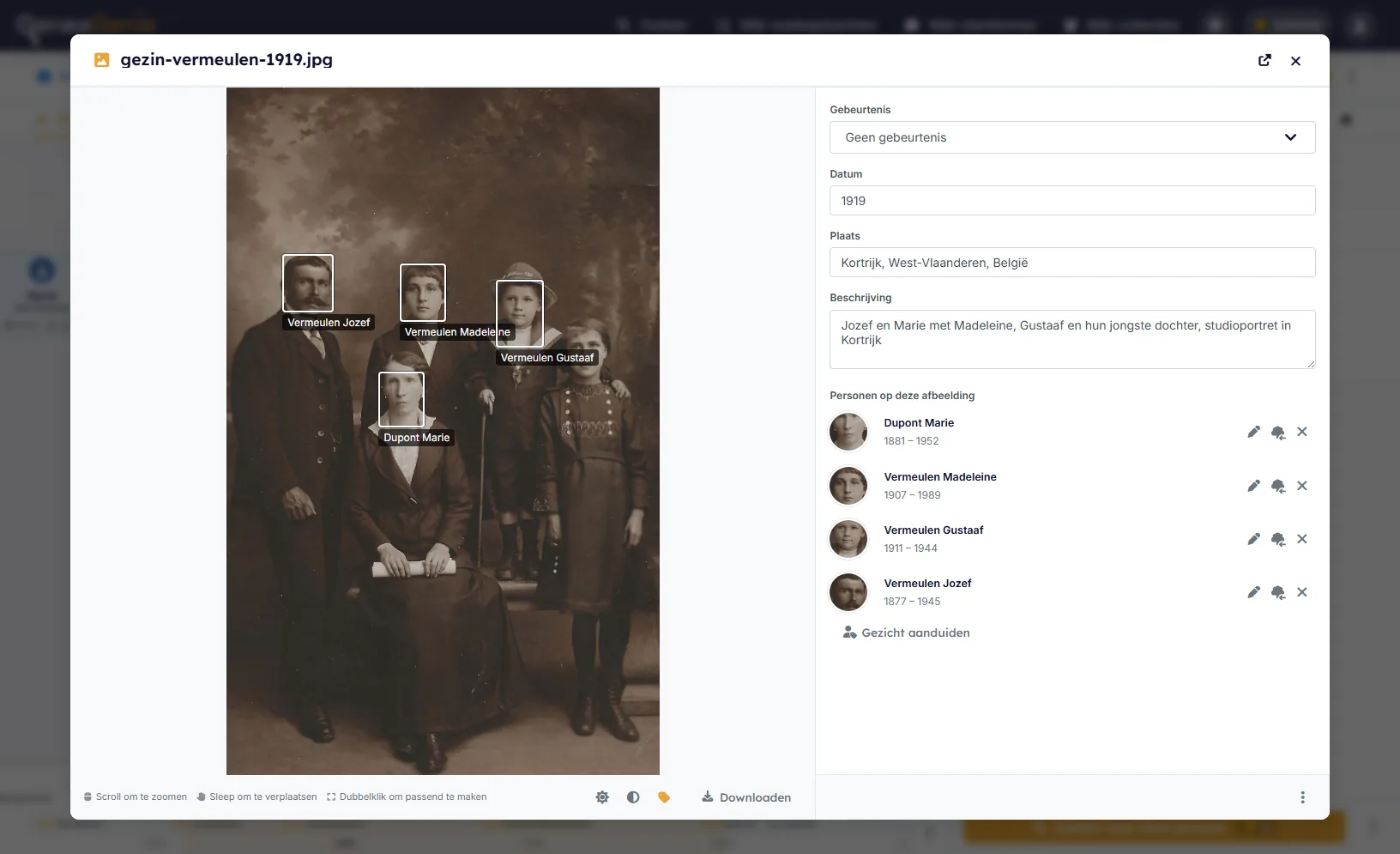
Family photos, with everyone named
Keep portraits, wedding photos, and gravestones with the people in them. Mark each face, and a family photo appears under every relative it shows, with its date, its place, and the event it belongs to.
- Add pictures and tag the people in them
- Link a picture to an event, with its date and place
- Keep only the part of a picture you need
Old photos and papers, straight from your phone
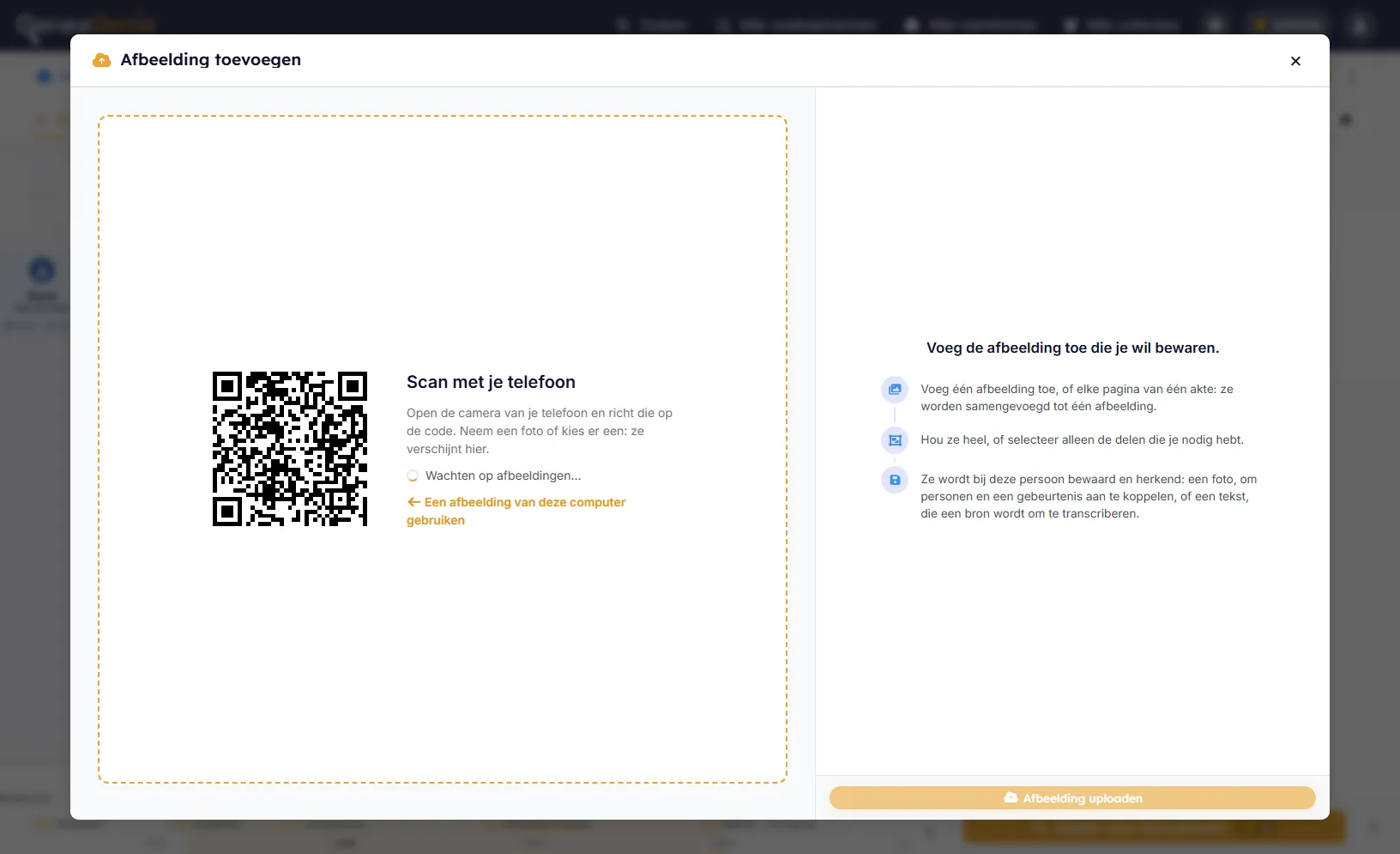
Many pictures are still on paper. Scan the QR code with your phone, take a picture or choose one, and it appears on your computer, ready to keep. A record on several pages? Send them one after the other: they are joined into one.
- No app to install: just scan the code
- Several pages joined into one picture
- For pictures, sources, and AI transcription
Your tree stays yours
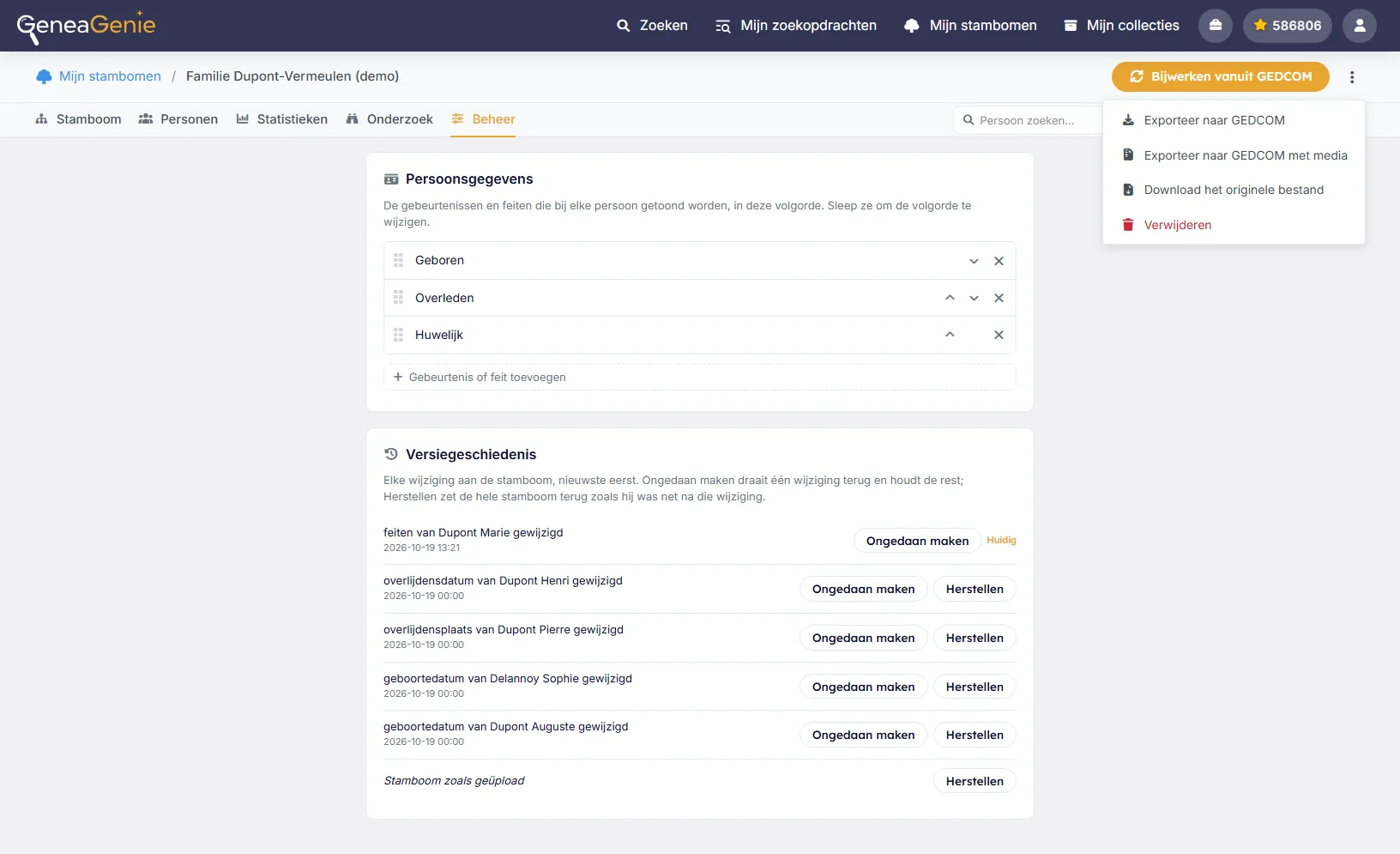
Every change is kept in the version history: undo a single change, or take the whole tree back to an earlier version, even to the tree as you uploaded it. And your work is never locked in: export your tree to GEDCOM at any time, with its sources, notes, and pictures, and keep working on it in any other genealogy program.
- Version history: see every change and undo it
- Go back to any earlier version, or to the tree as you uploaded it
- Export to GEDCOM with pictures and sources, also on the free plan
- Standard GEDCOM 5.5.1: keep working in any other genealogy program
Bring your tree to GeneaGenie
Upload a GEDCOM file and start exploring in minutes. Your tree stays 100% private — it's never searched by other users, and you can delete it any time.